Testmonials
Enquiry Form
Get in Touch with Us for Personalized Finance Assistance
Tax Year Overview: What It Is, Why It Matters for Your Mortgage, and How to Download It
- Date Published : September 03, 2025
- Date Last Modified : September 19, 2026
When applying for a mortgage, especially as a self-employed individual or landlord, one document that often causes confusion is the Tax Year Overview (TYO). Many clients aren’t aware of what this document is, how it differs from the tax calculation, or how to download it correctly from the HMRC website.
Let’s clear up the confusion and walk you through what a Tax Year Overview is, when it’s required, and how to avoid common mistakes when submitting it.
What Is a Tax Year Overview?
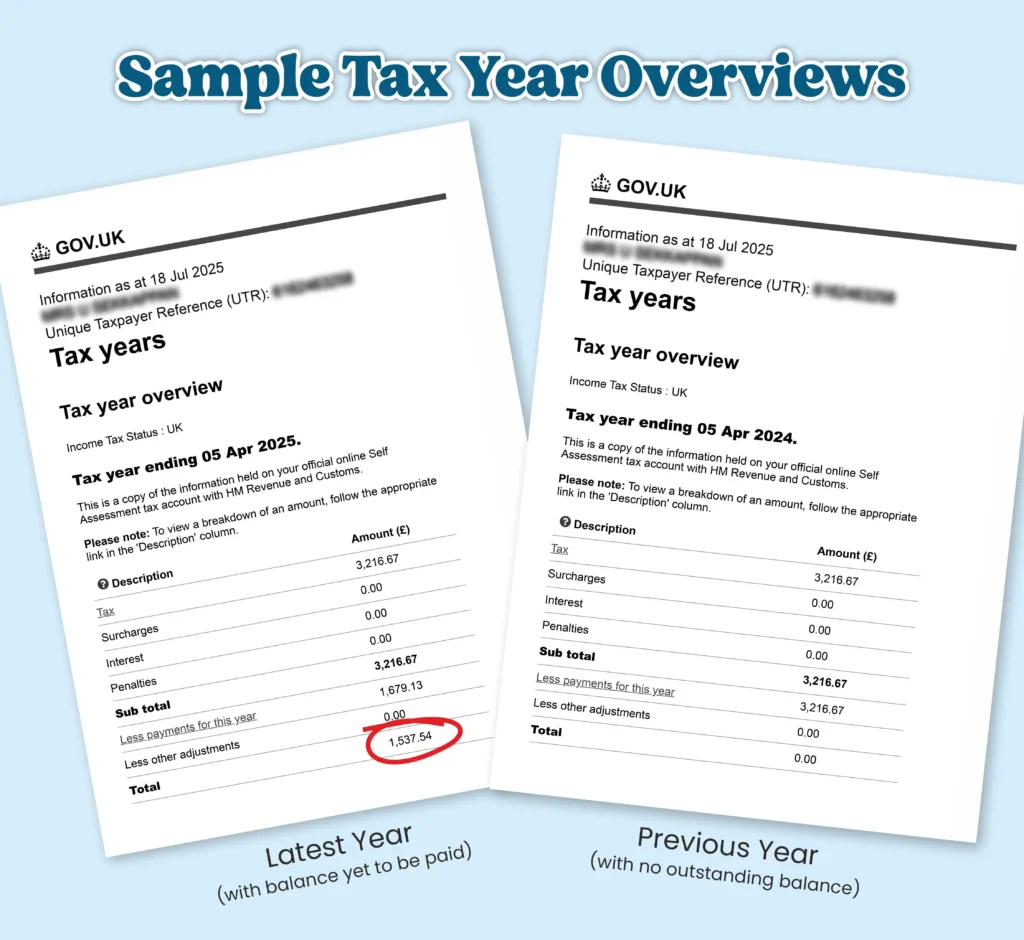
A Tax Year Overview is a one-page document issued by HMRC confirming your income tax position for a specific tax year. It shows:
- The amount of tax due
- The payments made towards that tax
- Any interest, penalties, or surcharges
- Whether the tax has been fully paid as of the download date
This is not the same as a Tax Calculation (previously known as the SA302), which shows how HMRC calculated your income and tax owed based on your Self Assessment. Lenders typically require both documents to cross-verify the income and payment details.
When Is It Required?
This document is typically required by mortgage lenders to verify income for applicants who:
- Are self-employed and submit Self-Assessment tax returns (this includes sole traders, partners, and Ltd company directors or shareholders)
- Receive rental income under the “income from land and property” heading
In these cases, the TYO must match exactly with the figures shown in the corresponding tax calculation (SA302).
Why Lenders Need It
Lenders use the Tax Year Overview to cross-check the income tax amount declared in the tax calculation. If the two documents don’t match to the penny, they will be rejected, potentially delaying your mortgage application.
How to Get Your Tax Year Overview
You have three options to obtain your TYO:
- From Your Accountant – Your accountant can usually provide this quickly.
- Call HMRC – You can request HMRC to post it, but this takes time and isn’t ideal for future use.
- Download Directly from HMRC Online – Recommended for speed and ongoing access.
Steps to Download from HMRC Website
- Go to: https://www.gov.uk/log-in-register-hmrc-online-services
- Log in or register
- Select ‘Self Assessment’
- Under ‘Previously Filed Returns’, click ‘View your tax year overview’
- Select the relevant tax year and click ‘Go’
- Click ‘Print your tax year overview’ and choose ‘Save as PDF’
- Save the document and share it as needed
Common Mistakes to Avoid
- Not refreshing the page by clicking ‘Go’ after selecting the year
- Providing mismatched years between tax calculation and TYO
- Submitting TYOs that show unpaid taxes or interest
- Differences in figures between TYO and tax calculation
How Recent Should the Tax Year Overview Be?
While HMRC allows you to submit your Self Assessment for the previous tax year ending 5th April by the following 31st January, lenders often expect more up-to-date documents.
HMRC Deadline: For the tax year ending 5th April 2026, HMRC allows submissions until 31st January 2027.
Lender Expectations: Most lenders will only accept income documents that are no more than 18 months old. This means:
- If you are applying for a mortgage in December 2026, the tax documents for the year ending 5th April 2025 may already be too old.
- Instead, lenders will expect to see documents for the tax year ending 5th April 2026.
If you are planning to apply for a mortgage between October and January, it is advisable to:
- Submit your tax return sooner than the HMRC deadline
- Ensure that both the Tax Calculation and Tax Year Overview reflect the most recent tax year
This consideration is especially important for self-employed applicants and landlords. Lender expectations during this period may exceed HMRC’s timeline, and being proactive helps prevent unnecessary delays or rejections.
From 6th April 2026, Making Tax Digital for Income Tax applies to sole traders and landlords with qualifying income over £50,000. The threshold falls to £30,000 from April 2027 and £20,000 from April 2028.
Under Making Tax Digital, you keep digital records and send quarterly updates to HMRC using compatible software. After the end of the tax year, you complete and submit your tax return through compatible software. The 31st January tax return and payment deadline continues to apply.
For mortgage applications being made now, the documents lenders ask for still come from the existing Self Assessment process, because 2026/27 is the first tax year under the new system. HMRC has not yet confirmed whether the Tax Calculation or Tax Year Overview will change once Making Tax Digital returns start coming through, and lenders may update their requirements as it beds in.
Quick Checklist for Mortgage-Suitable Tax Documents
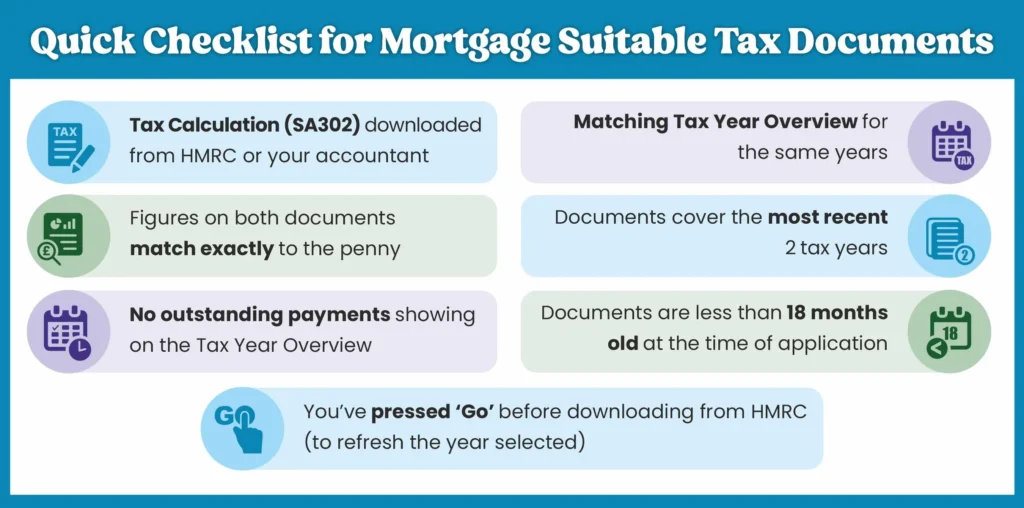
- Tax Calculation (SA302) downloaded from HMRC or your accountant
- Matching Tax Year Overview for the same year
- Figures on both documents match exactly to the penny
- Documents cover the most recent 2 tax years
- No outstanding payments showing on the Tax Year Overview
- Documents are less than 18 months old at the time of application
- You’ve pressed ‘Go’ before downloading from HMRC (to refresh the year selected)
Sample Tax Year Overview
Frequently Asked Questions
No, the Tax Year Overview confirms payments made to HMRC, whereas the SA302 shows your income and tax liability as calculated.
No. Lenders typically require both the Tax Calculation and the Tax Year Overview for cross-verification.
Lenders expect the figures on both documents to match, so a mismatch needs resolving before your application goes in. In our experience, this usually happens when the tax return has been amended after the Tax Calculation was produced, leaving you with an earlier version. Ask your accountant for the latest Tax Calculation, which will normally match your Tax Year Overview.
You’ll need to make the payment and re-download the updated Tax Year Overview before it will be accepted by most lenders.
HMRC advises that you cannot print your Tax Calculation or Tax Year Overview until 72 hours after submitting your tax return. If you are planning a mortgage application, file early enough to allow for this and, where possible, make sure any tax due has been paid so the overview does not show an outstanding balance.
Need Help Getting It Right?
At Nachu Finance, we understand that navigating the mortgage process—especially as a self-employed individual or landlord—can feel complex and overwhelming. That’s why we go beyond simply ticking boxes. We work closely with you to ensure your documents are accurate, up to date, and fully aligned with what lenders expect.
From helping you retrieve the right Tax Year Overview and Tax Calculation, to advising on how to present your income clearly, we’re here to make the process smoother and more transparent. Whether you’re preparing for your first mortgage or a remortgage, our advice is always tailored to your unique situation.
Get in touch today and let us help you submit with confidence

About the Author
Sekkappan Alagu is the Founder of Nachu Finance Ltd, established in 2006. With an early career in journalism and publishing, he brings clarity and structured thinking to complex financial topics. Through the Nachu Finance Blog and Knowledge Hub, he shares insights drawn from nearly two decades of client advisory experience, helping readers make informed decisions and understand best practices in mortgages, protection and long-term financial planning.

Business Profile
Nachu Finance Ltd is a directly authorised FCA-regulated firm providing mortgage, insurance and estate planning advice to clients across the UK. The firm takes a holistic approach — considering protection, tax efficiency and long-term planning alongside property finance — maintaining high regulatory standards while keeping advice clear and easy to follow. To learn more about the firm's background and story, visit the About Nachu Finance page.
Strengthen Your Mortgage Application Preparation